How To Create A Fixed Payout Chit
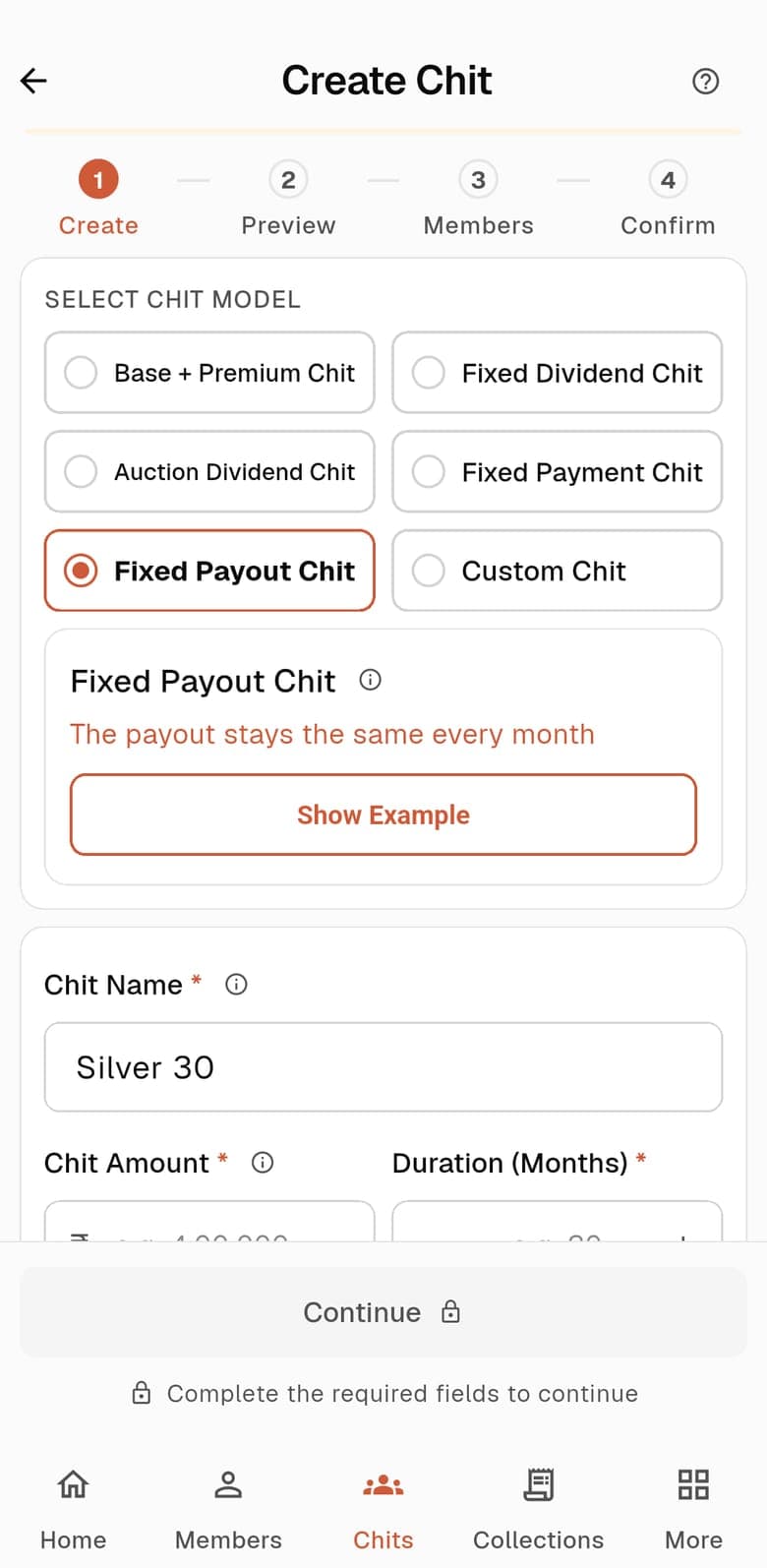
In a Fixed Payout chit the recipient is paid the same amount every month, the full chit amount. What changes is what members pay: a lower payment before they lift that falls month by month, and a fixed higher payment after.
Your commission is not a setting here. It is whatever the month’s collection leaves after the payout, and it can be negative in some months.
At A Glance
How It Works
- Before a member lifts they pay the First Payment in month 1, and a little less each month after (the Dividend step). After they lift they pay the Post Payment.
- The payout is fixed at the chit amount every month.
- Commission is the month’s collection less the payout. When members who have not lifted yet pay little, the collection can fall short of the payout and the commission goes below zero. The app warns you how many cycles that happens in.
Why Commission Changes Month To Month
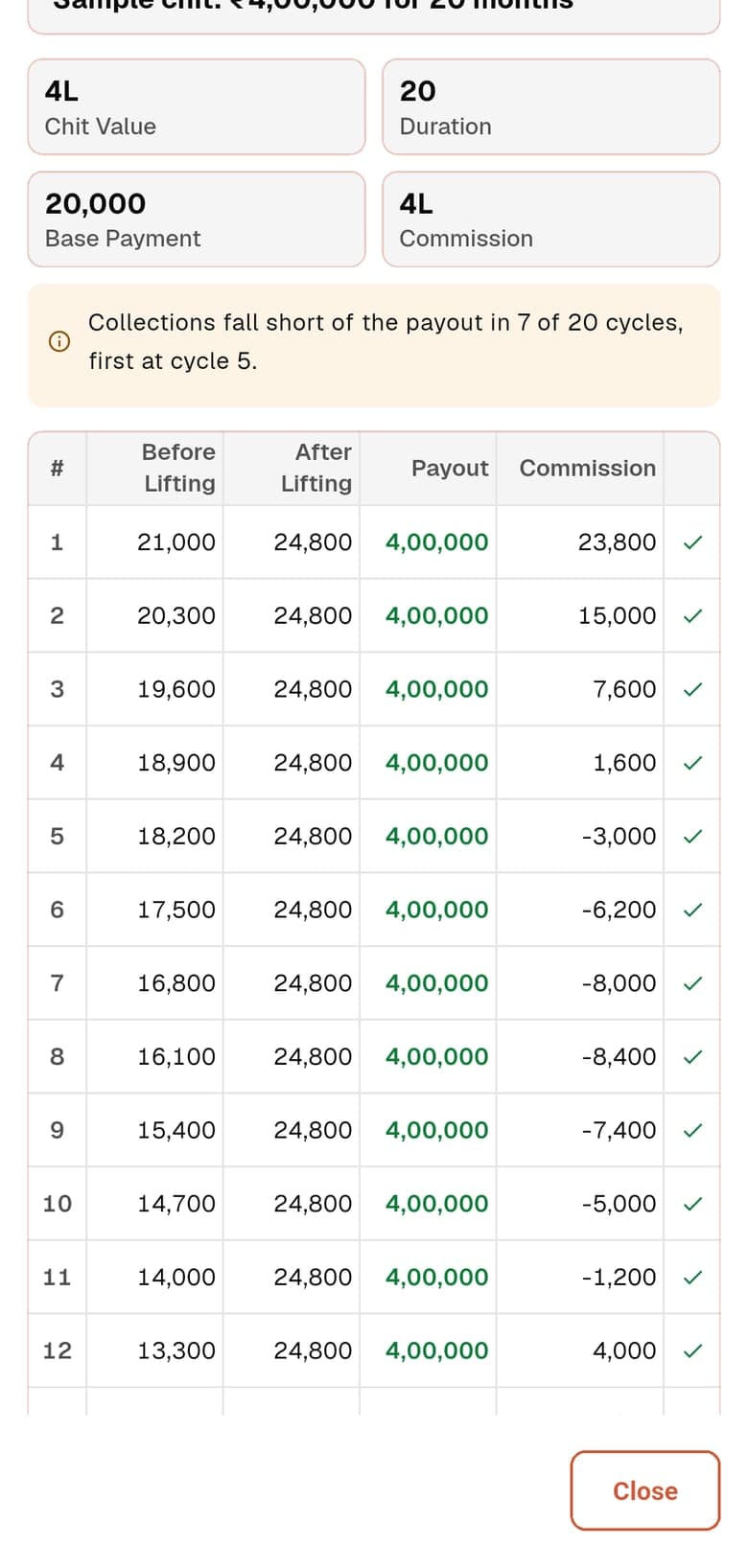
The app’s sample chit: ₹4,00,000 over 20 months, first payment ₹21,000, falling ₹700 a month, post payment ₹24,800. The recipient gets ₹4,00,000 every month.
| Month | Pays before lifting | Pays after lifting | Recipient receives | Your commission |
|---|---|---|---|---|
| Month 1 | ₹21,000 | ₹24,800 | ₹4,00,000 | ₹23,800 |
| Month 5 | ₹18,200 | ₹24,800 | ₹4,00,000 | −₹3,000 |
| Month 10 | ₹14,700 | ₹24,800 | ₹4,00,000 | −₹5,000 |
| Month 12 | ₹13,300 | ₹24,800 | ₹4,00,000 | ₹4,000 |
| Month 20 | ₹7,700 | ₹24,800 | ₹4,00,000 | ₹96,000 |
The post payment starts in the lift month. The app’s own warning on this sample: collections fall short of the payout in 7 of 20 cycles, first at cycle 5.
How The Calculation Works
The rules ChitsApp applies each month, with the numbers from the example.
- Before lifting, a member pays the first payment less the dividend step for each month gone: ₹21,000 − ₹700 × (month − 1). Month 5: ₹18,200.
- After lifting, a member pays the post payment, here ₹24,800 (24% above the ₹20,000 base payment).
- Collection = members not yet lifted × before-lifting payment + members who have lifted × post payment. With Lift Month, month 5 is 15 × ₹18,200 + 5 × ₹24,800 = ₹3,97,000.
- Recipient receives the chit amount, ₹4,00,000, every month. Commission = collection − payout, so month 5 is ₹3,97,000 − ₹4,00,000 = −₹3,000.
The Settings You Fill In
Each one in plain words, in the order the form shows them.
- Chit Name
- What you and your members call the chit. ChitsApp gives every chit its own code as well, built from your organisation code.
- Chit Amount
- The full value of the chit, which is what the monthly pool is measured against.
- Duration (Months)
- How many months the chit runs. Each month is one cycle and one member lifts the chit, so the chit has as many units to fill as it has months.
- First Payment
- What each member pays in month 1, before anyone has lifted.
- Post Payment
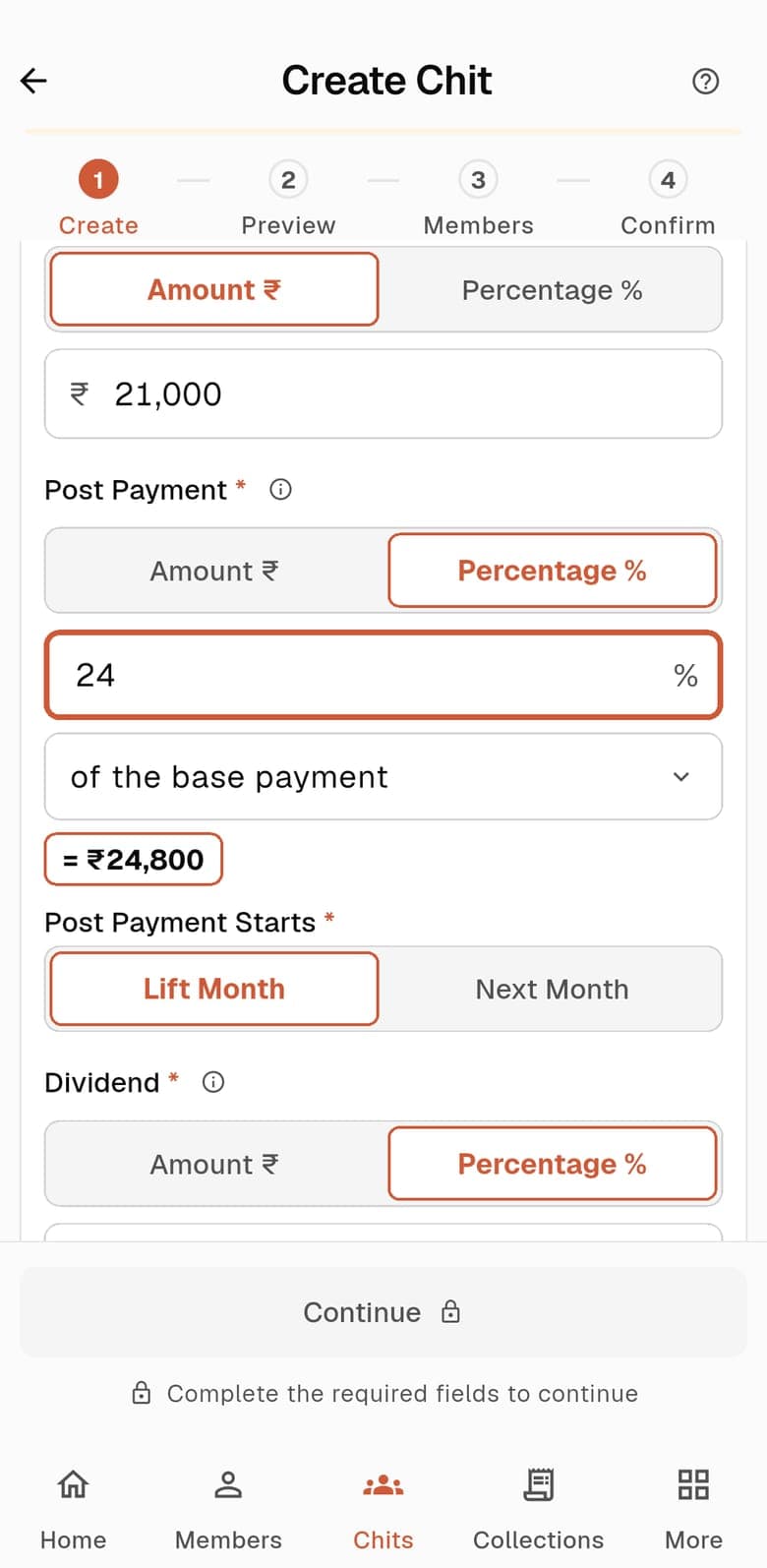
- What a member pays each month once they have lifted, as an amount or as a percentage above the base payment. 24% above a ₹20,000 base payment is ₹24,800.
- Post Payment Starts
- Lift Month: the higher payment starts in the month the member lifts. Next Month: it starts the month after.
- Dividend
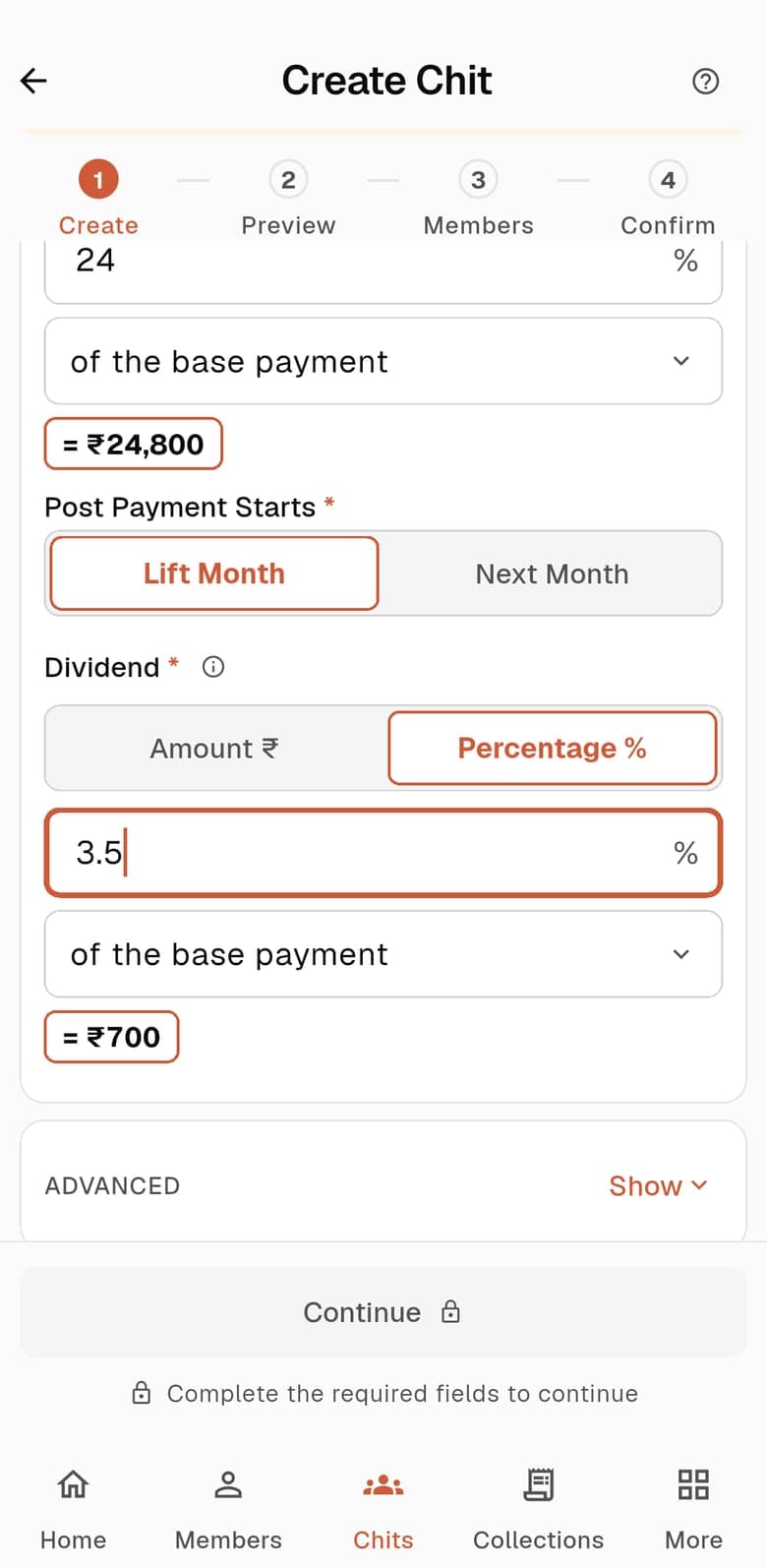
- How much the before-lifting payment falls each month. This is a step-down, not the Fixed Dividend model.
- Start Date
- The first cycle. Pick it from the calendar.
Steps To Create It
From the Chits tab to a live chit, in the Android app.
Choose Fixed Payout
In the Chits tab choose Create New Chit and tap Fixed Payout Chit: the payout stays the same every month. Show Example opens a sample chit, and it is worth reading the commission column before you go on.
Fill in the chit
Enter the chit name, amount and duration, then the first payment, the post payment, when it starts and the dividend step. The rupee figure each percentage works out to is shown under the field.
Check the preview
Continue opens the Scheme Preview: the chit value, the duration and a table of every month. Read down it to see what each member pays and what the recipient gets each month.
Save & Continue creates the chit as a draft. The screen says so: nothing is shared with anyone until you publish.
Add your members
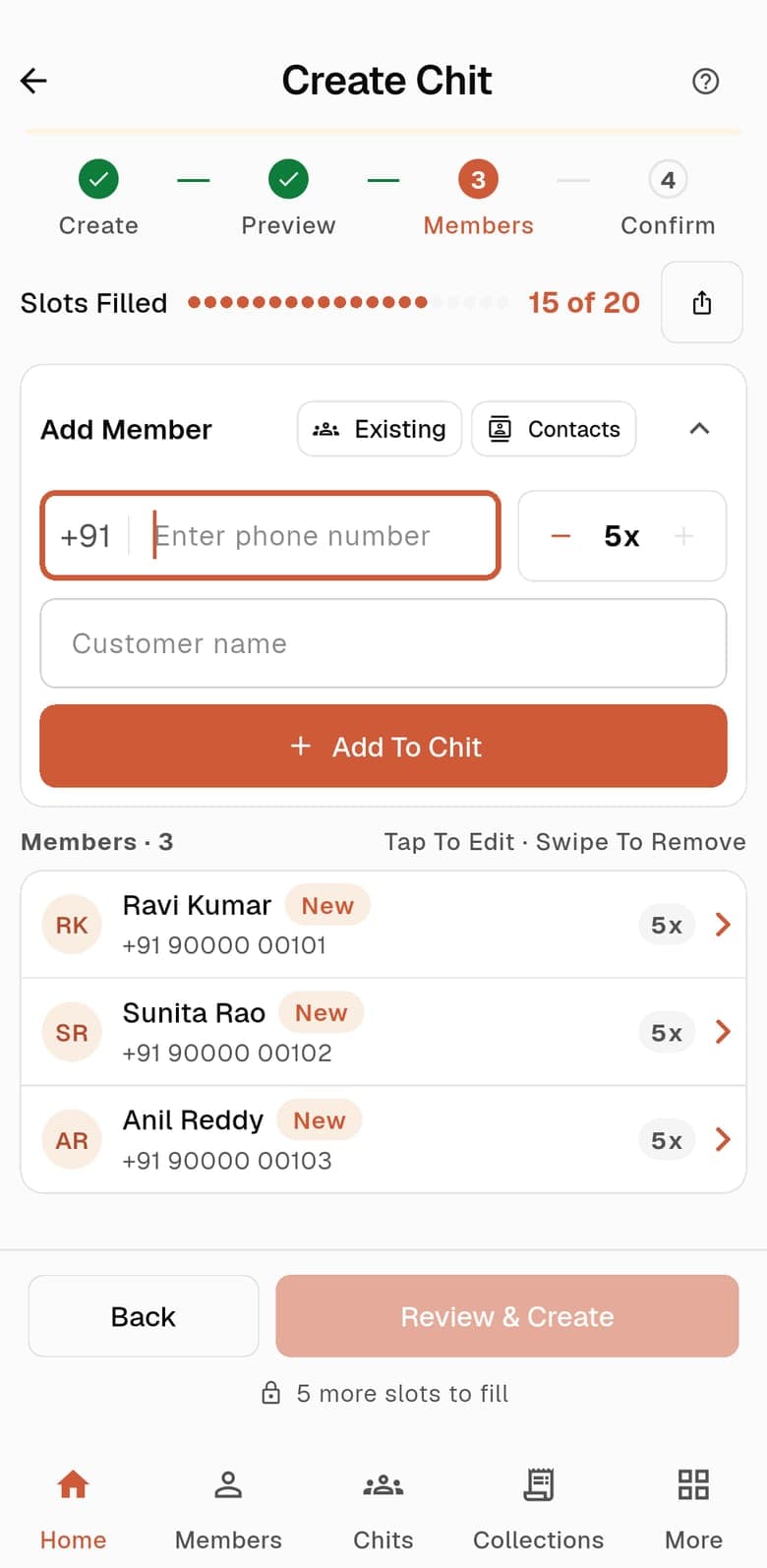
The Members step shows Slots Filled, for example 15 of 20. Add each member with a phone number, a name and the number of units they hold, or use Existing to pick people already in your members list, or Contacts to import from your phone.
Review & Create unlocks once every slot is filled.
Confirm and publish
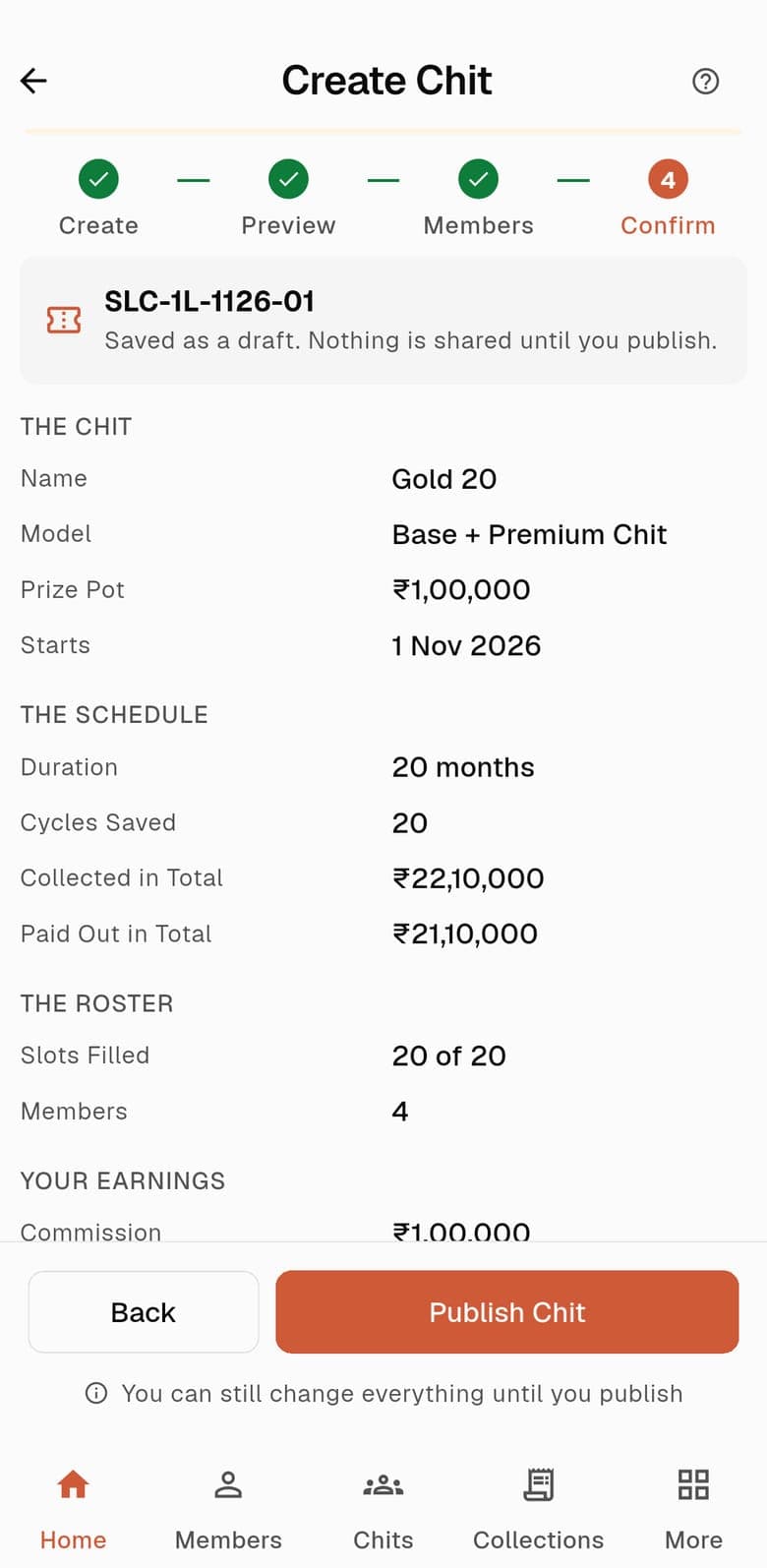
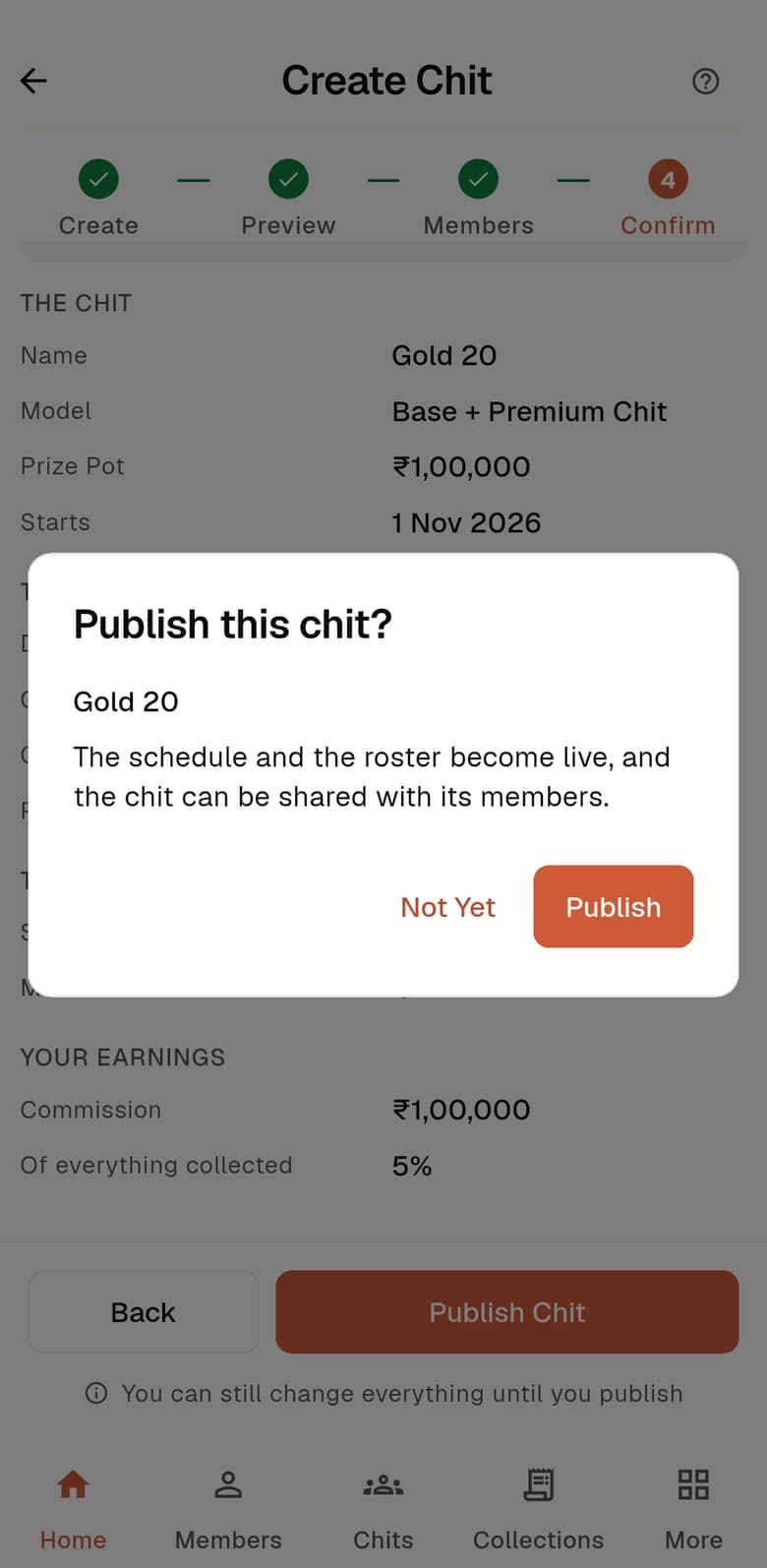
Confirm lists the chit, its schedule, the roster and your earnings. When it looks right, Publish Chit asks once more: the schedule and the roster become live, and the chit can be shared with its members.
Start the first cycle
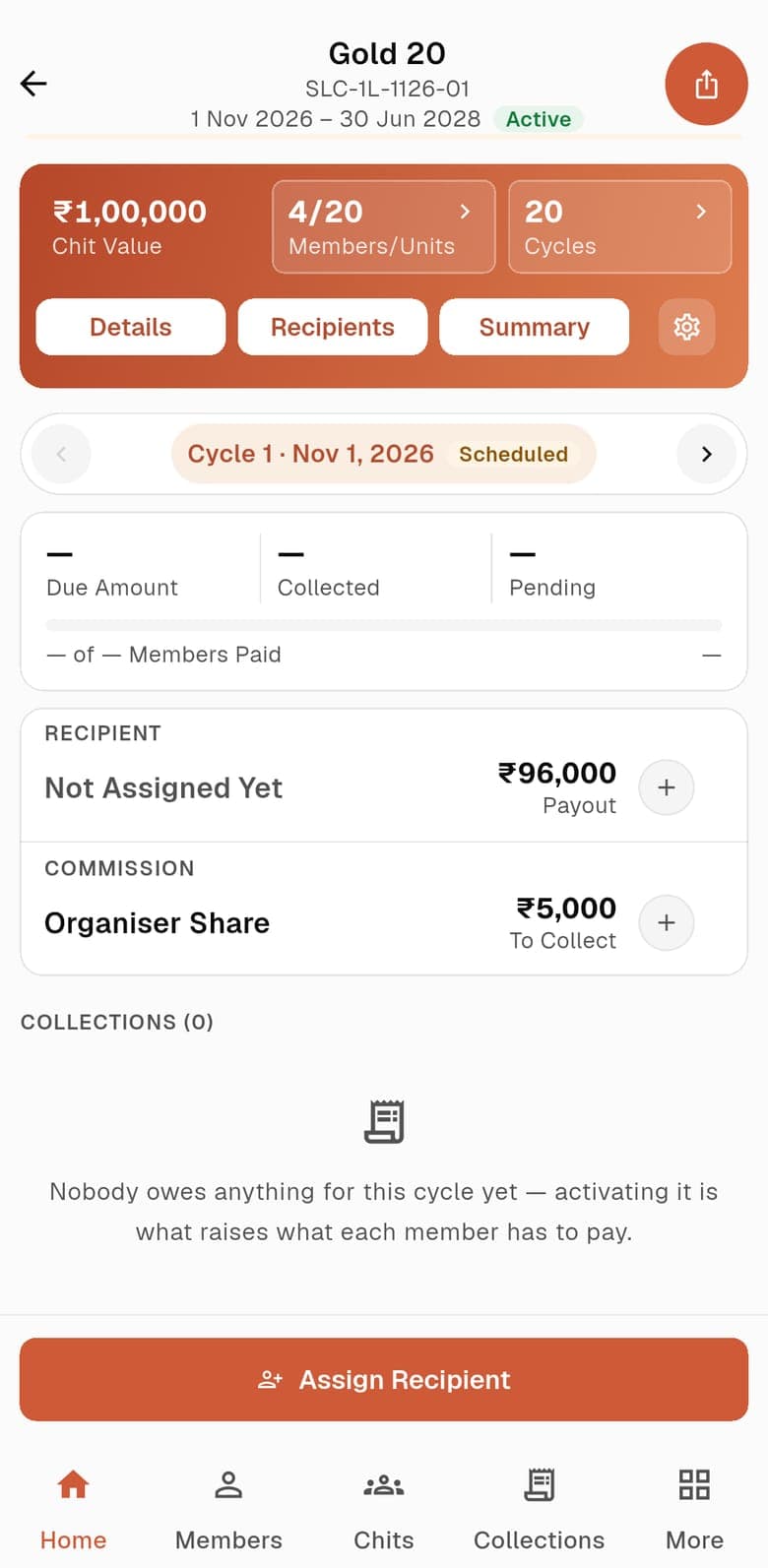
Publishing does not start cycle 1. Open the chit, choose Assign Recipient to pick who lifts this month, then Activate Cycle. Payments then show as pending for every member.
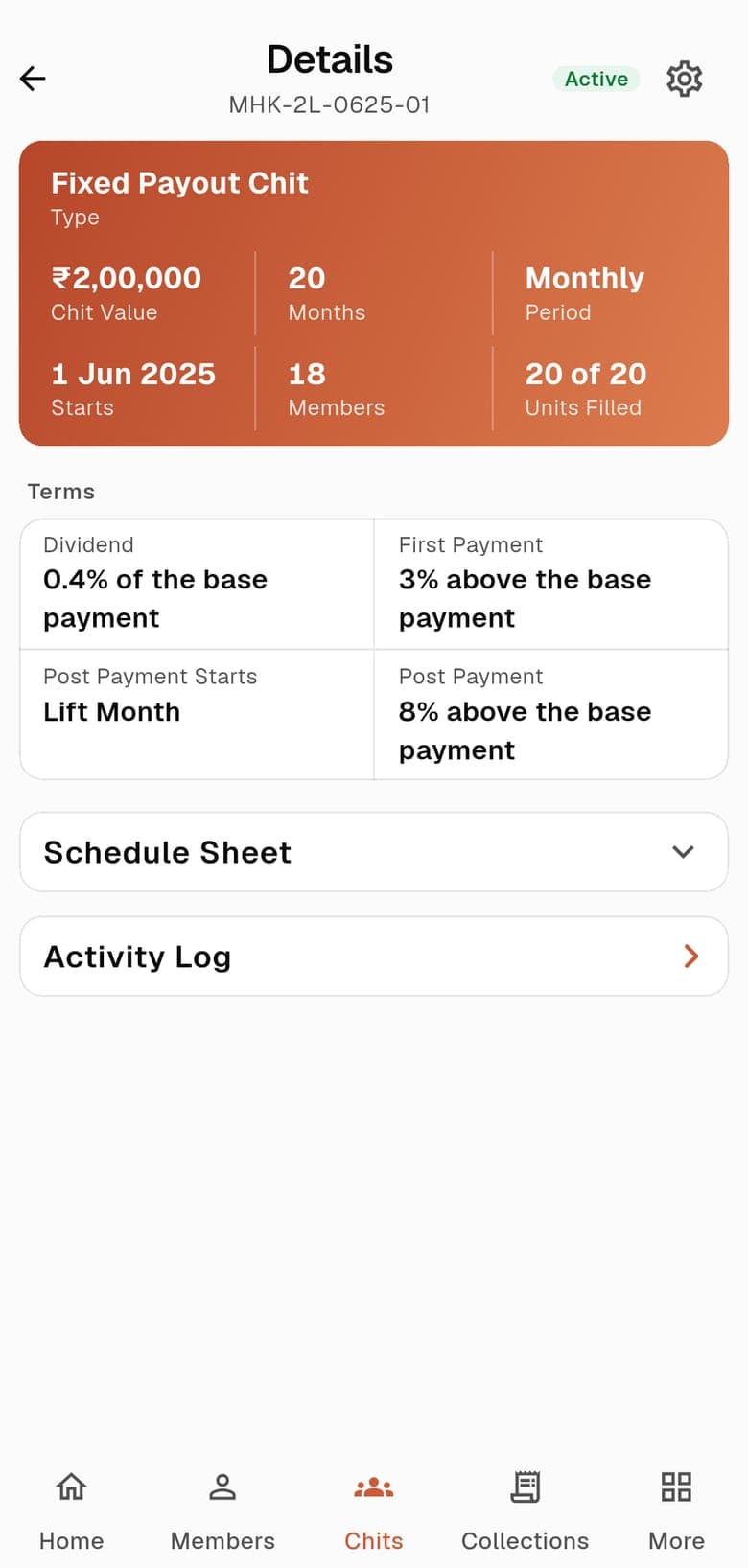
See the terms on the chit
The live chit’s Details screen repeats the dividend, first payment and post payment you set.
Common Questions
Why can the commission be negative?
The recipient is always paid the full chit amount. In the early and middle months the members who have not lifted pay little, so the collection can be smaller than the payout, and the commission is the difference. The app warns you how many cycles this happens in before you create the chit.
Is the Dividend field the same as the Fixed Dividend model?
No. Here it is the amount the before-lifting payment falls each month. It is a step-down, not a share of the chit that is handed back to members.
What does Post Payment Starts change?
With Lift Month the member lifting pays the post payment in that month; with Next Month it starts the month after. On this sample, month 1 leaves ₹23,800 with Lift Month and ₹20,000 with Next Month.
Keep Reading
Free tools for this model:Chit Chart Maker
Run your chits in ChitsApp
Start with up to 2 running chits free. No card needed. ChitsApp records payments; it does not hold or collect your members’ money.